Pre-sale soonVersion 0.8
Academic Studio
A writing studio for theses, articles and books, on plain Markdown.
Research writing happens across too many tools: notes in one app, the outline in another, the draft in Word, citations in a plugin, the analysis somewhere else. Academic Studio brings the whole process into a single studio built on plain Markdown, so nothing is locked in and every step can see the others.11A synthesis of what researchers already juggle: Scrivener's binder, Obsidian's plain files, NVivo's coding and Zotero's citations, in one studio.
What it does
- Files that outlive the app
- Your manuscript is plain Markdown on your disk. It opens in Obsidian, VS Code or Git, and project data is stored as plain text beside it.
- Structure you can move
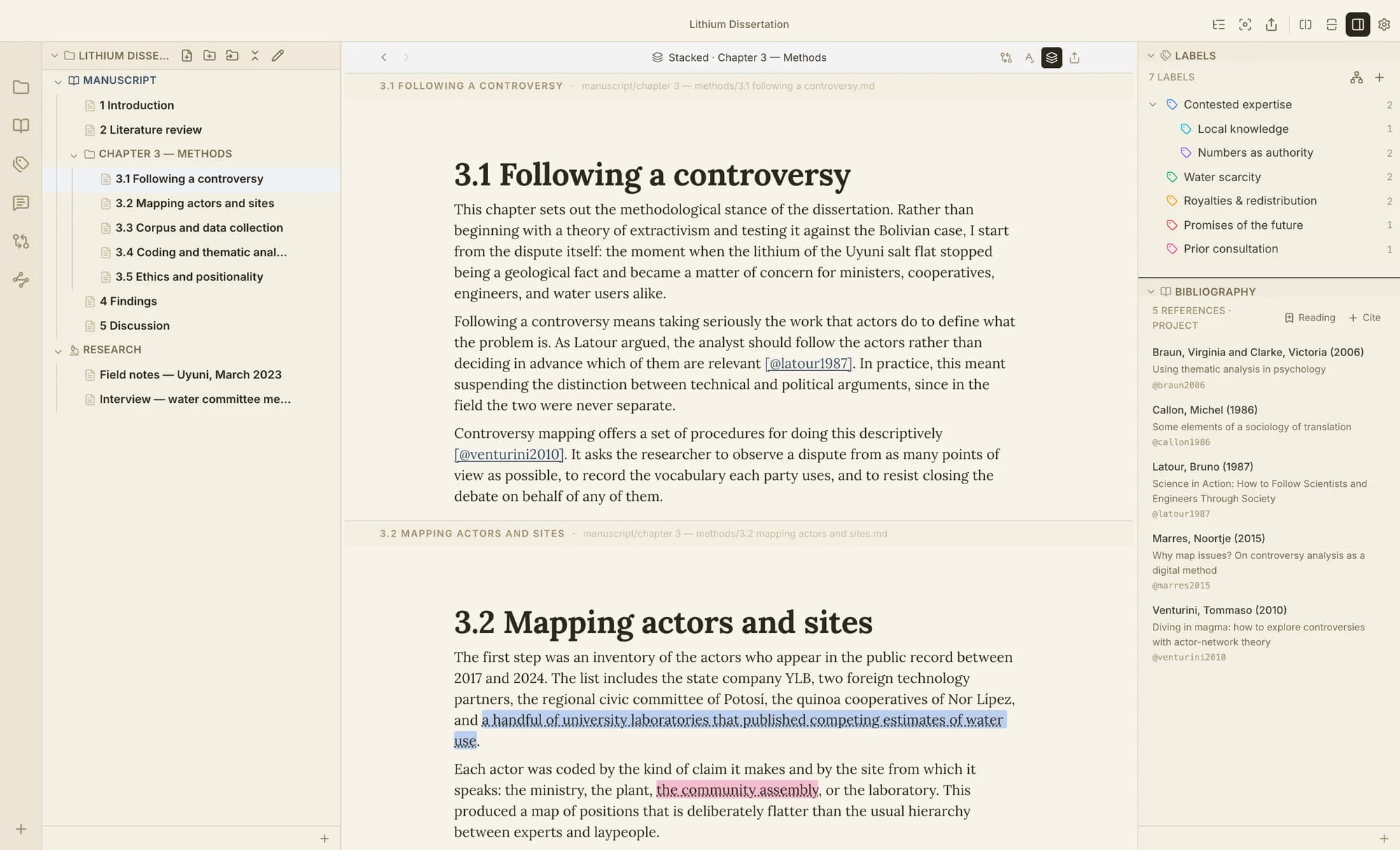
- A binder and outliner for chapters and sections, and a stacked view to edit the whole manuscript as one continuous document.
- Citations from your own Zotero
- Zotero's citation picker inside the editor, and a formatted bibliography at compile time: APA 7, Chicago, IEEE, MLA or Vancouver. Requires Zotero with Better BibTeX.
- Compile, not copy-paste
- Export to Word, PDF, LaTeX, EPUB, ODT or HTML via Pandoc, with numbered figures and equations and cross-references. Bring an existing manuscript in from Word.
- Code your own material
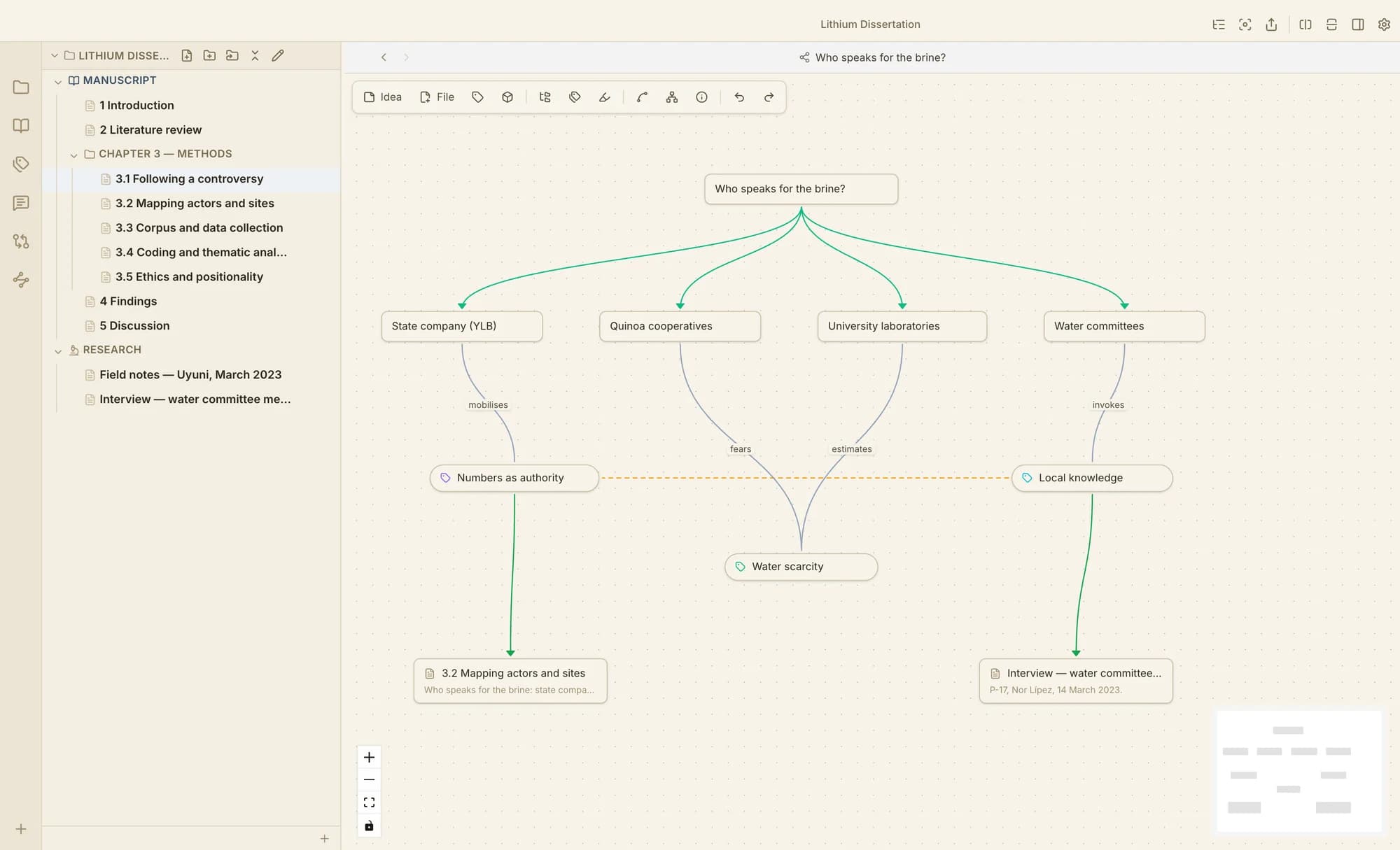
- Tag passages of your notes and drafts with hierarchical themes, link the themes with typed relations, and see them as a network.
- Review like an editor
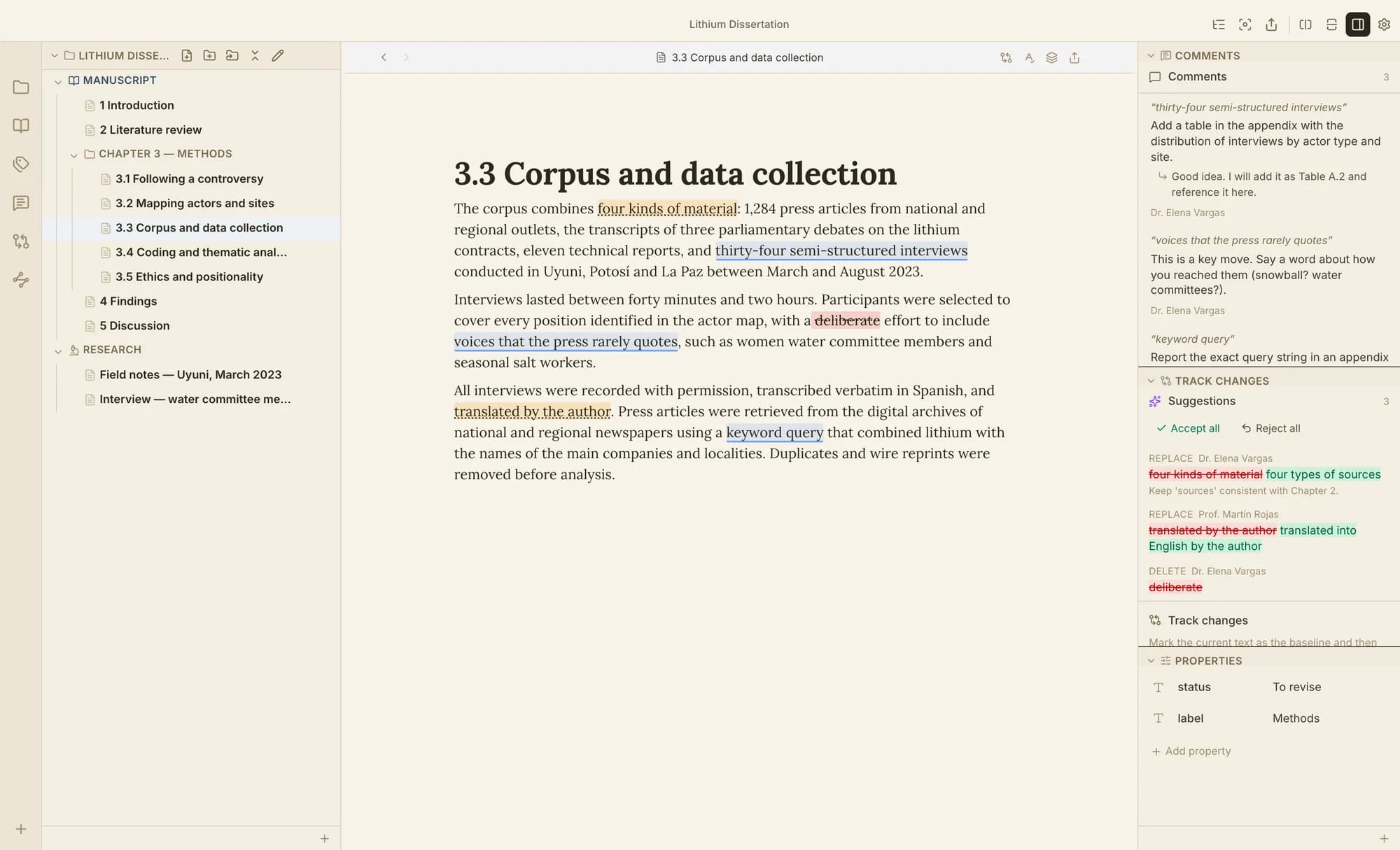
- Tracked changes, anchored comments and a version history with diffs, per document and reversible.
- Bring your agent, keep the pen
- An integrated terminal, the mds command line and stage-by-stage skills let Claude Code, Codex or another CLI agent work inside your project. Its edits arrive as tracked suggestions. Prefer no AI at all? The Craft build has no agent features.
The method behind it
The writing process has three stages, and most software only serves the middle one.
Academic Studio is organized around pre-writing (researching and planning), writing, and post-writing (analysing, revising, citing and exporting). Each stage has its own views, and all of them work on the same files.
Who it is for
- Doctoral students writing a thesis or dissertation
- Researchers who publish articles, chapters and books
- Rigorous technical writers who need structure and citations
It is not a note-taking app, a reference manager or an AI writer. It works alongside Obsidian and Zotero rather than replacing them.
Where it stands
Version 0.8 runs on macOS, Windows and Linux and is used daily for real academic work. Licensing, signed installers and automatic updates come next. People on the list get early access first, at a founding price.
Get notified about Academic Studio
One email when early access opens, with a founding price for people on this list. No tracking, no resale; unsubscribe in one click.
Questions
Does Academic Studio need an account or an internet connection?
No. It runs offline and keeps everything in files on your computer.
Do I need an AI subscription?
No. The app includes no AI model and works fully without one. If you choose to use an agent, you use your own provider and plan.
Which agents work with it?
Any agent that runs in a terminal. The app installs instructions and skills for Claude Code and Codex.
Can it replace NVivo or ATLAS.ti?
Not for large interview studies. Its coding is meant for your own notes and drafts. For full qualitative analysis we are designing Grounded.
What happens to my work if I stop using it?
Nothing changes. Your text is Markdown and your annotations are plain-text files. Your license is perpetual for the version you bought.
Which systems does it run on?
macOS, Windows and Linux, in English, Spanish and Portuguese.
Are there student, regional and institutional prices?
Yes: a student price, regional pricing in middle-income countries, and volume or course licenses on request.